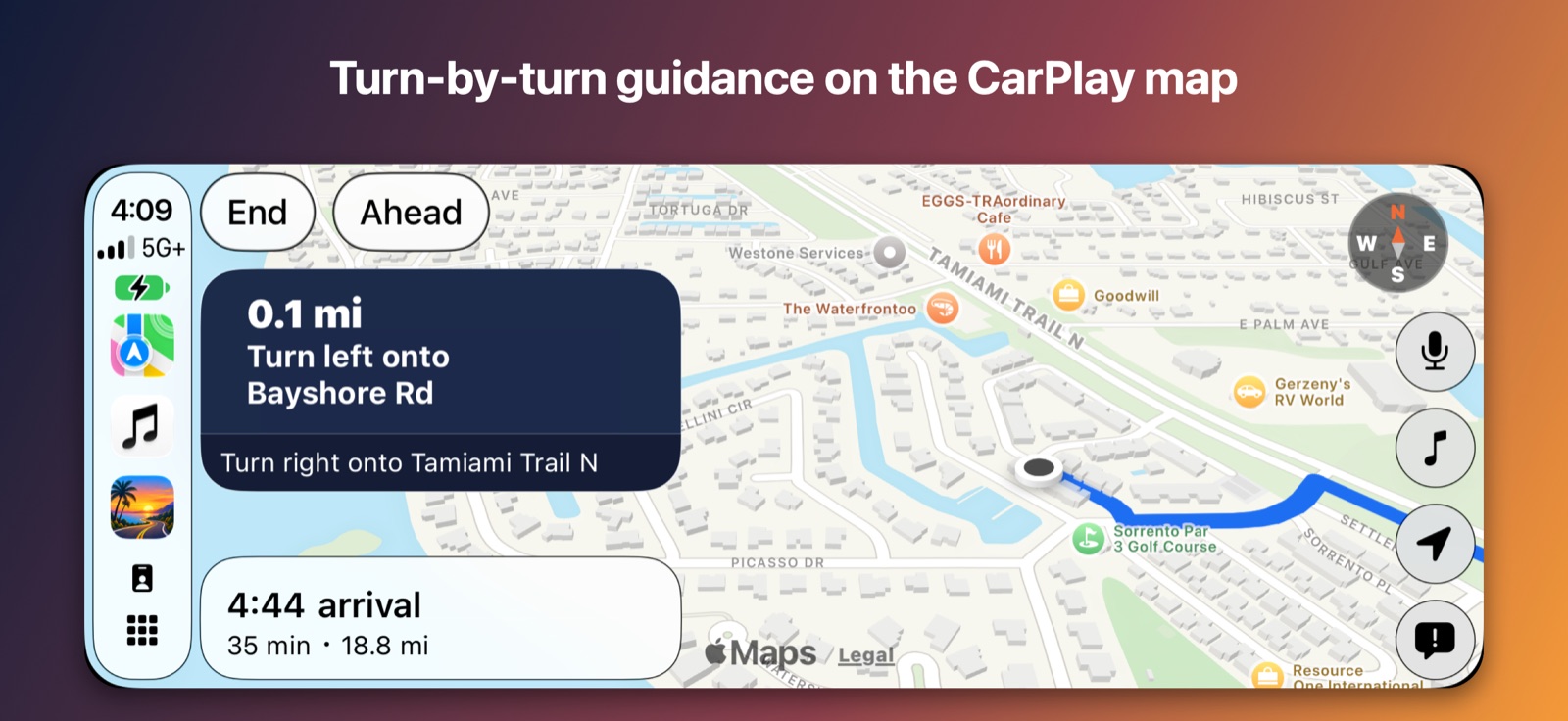
- Turn-by-turn guidance with your trip's stops, and an arrival card you can tap to end the route.
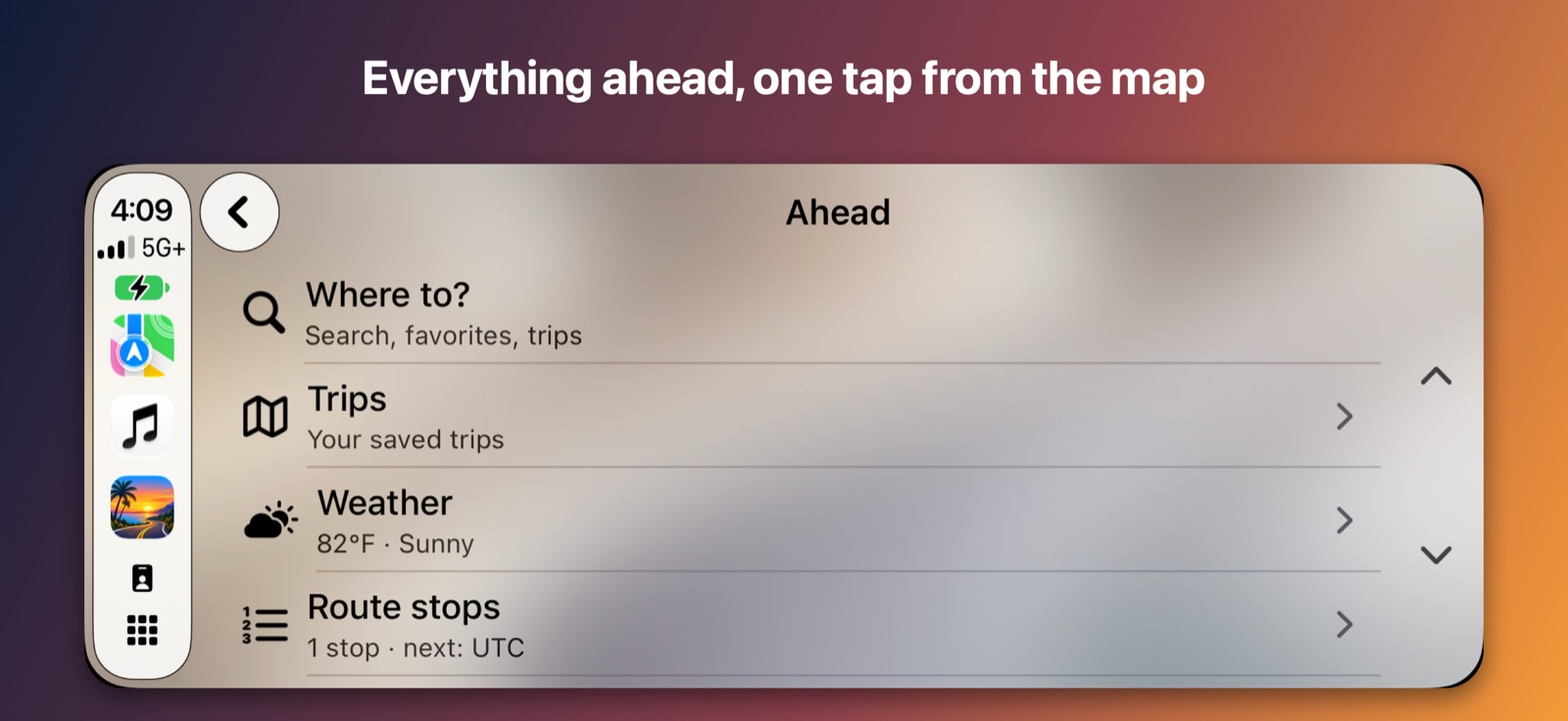
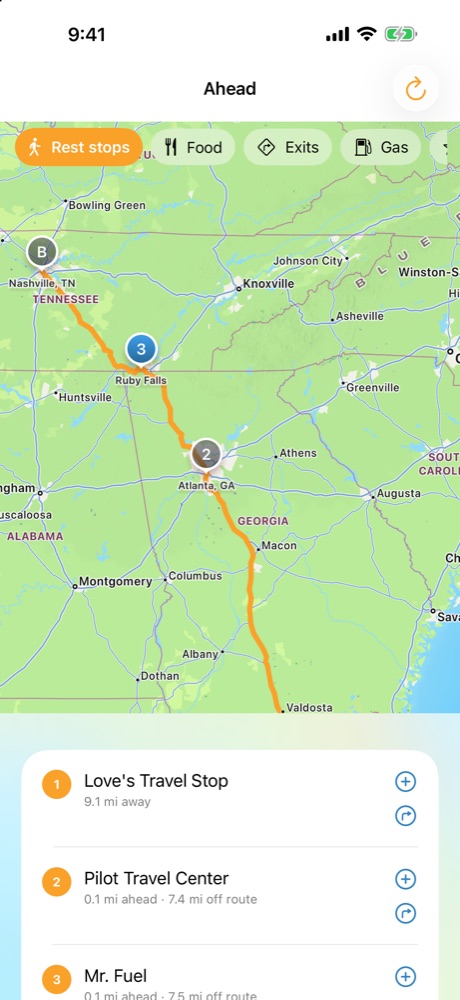
- The Ahead list: Exits, Rest stops, Food and Gas, available while a trip is being guided.
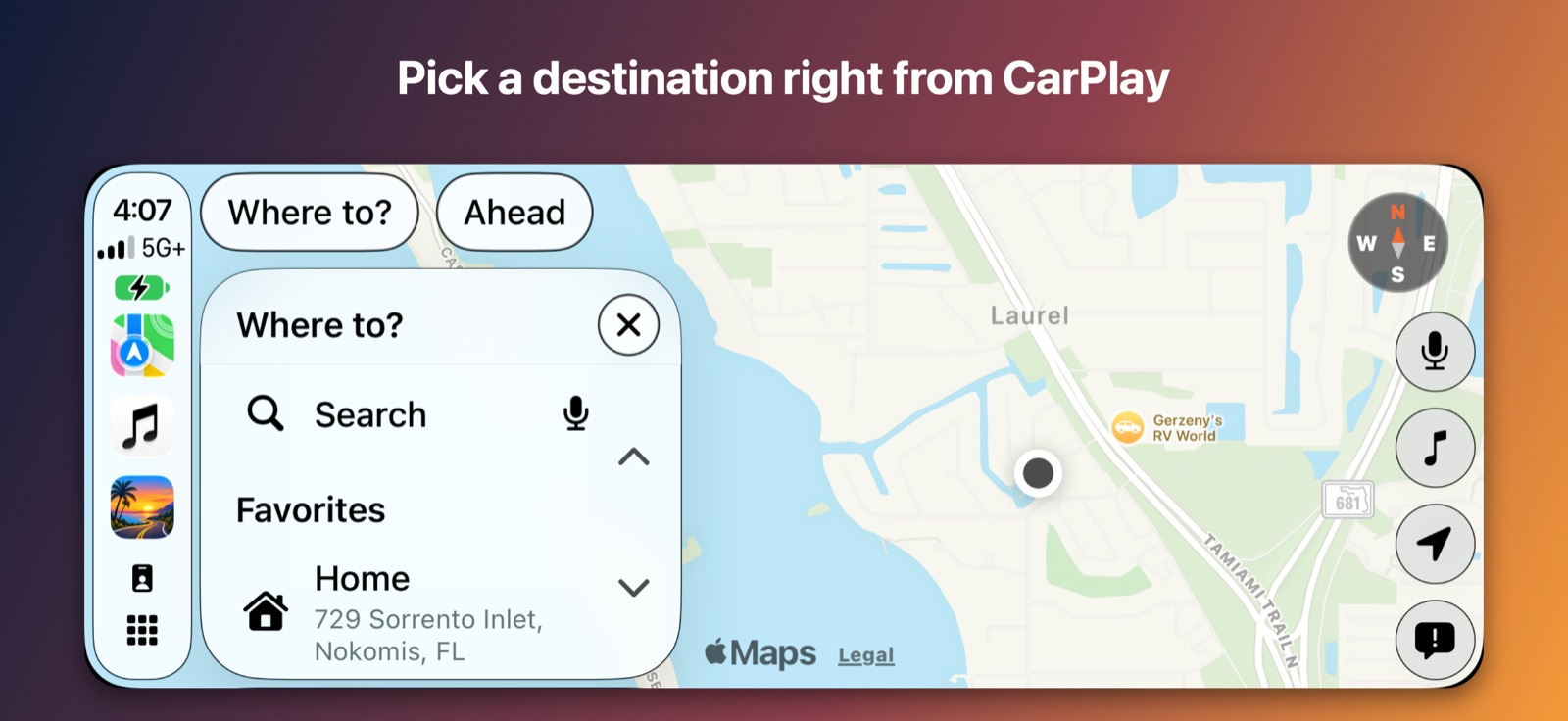
- Add a gas or food stop to the trip without taking your hands off the wheel.
- Ask by voice for the next rest stop or where to get fuel.
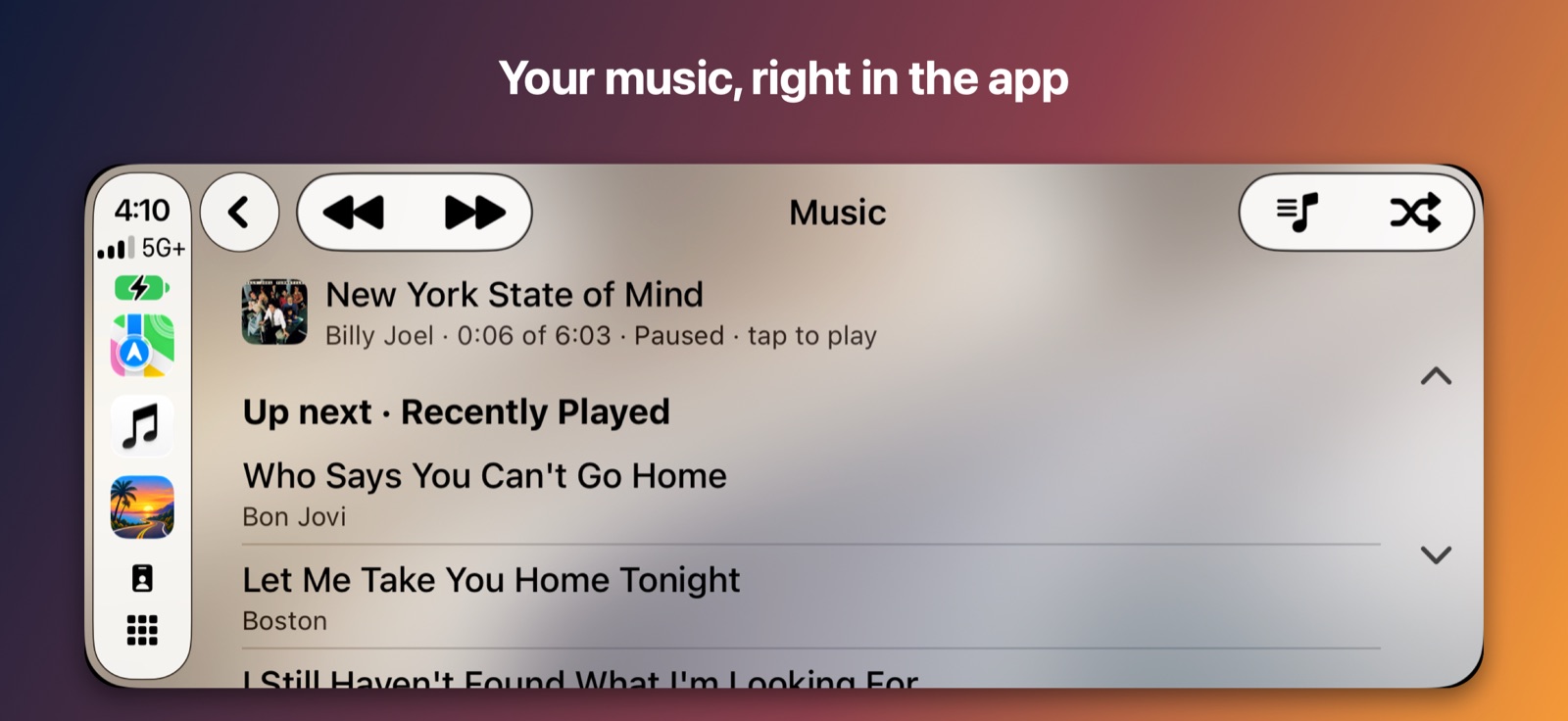
- A Music screen with now playing, your up-next queue and playlists.
 🛣️ For the long way there
Roadkin
Plan the trip. See what's ahead.
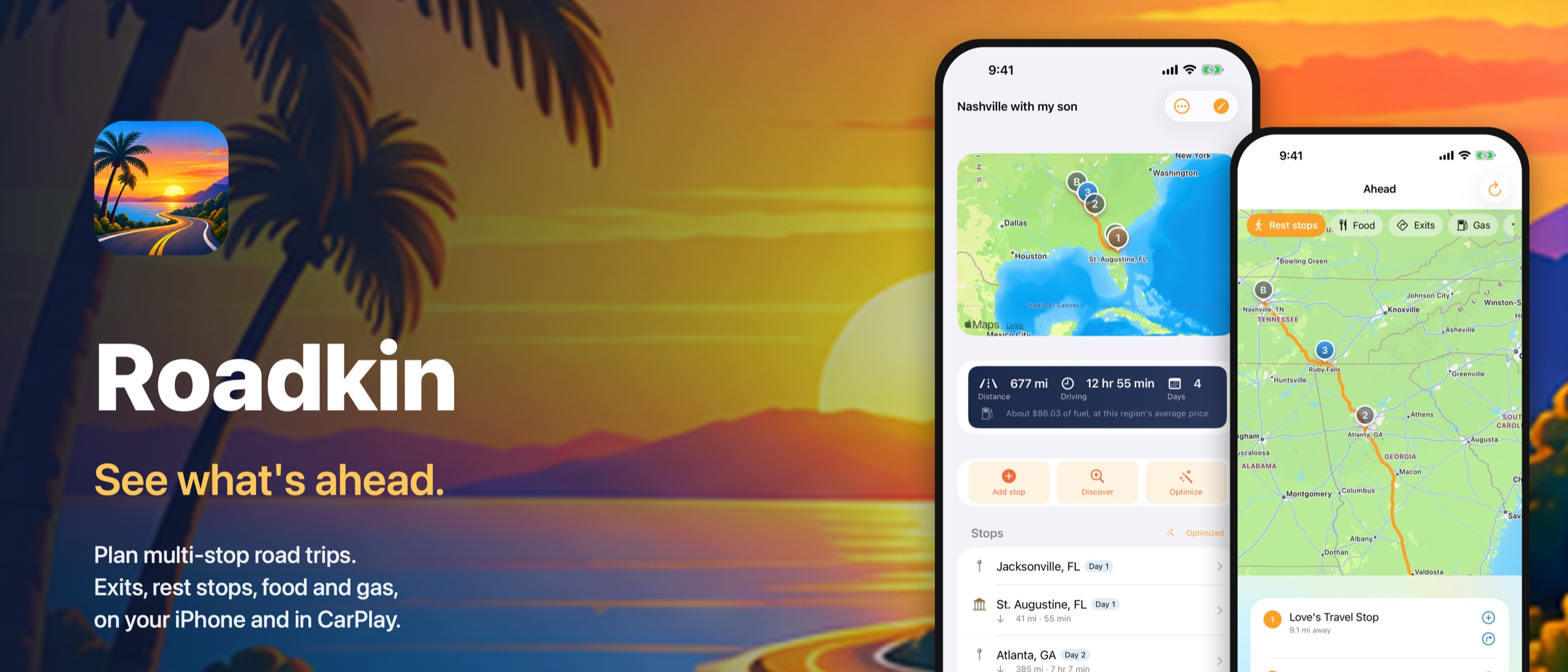
Roadkin plans multi-stop road trips and then rides along. It puts your stops in the best driving order, keeps your bookings with the stop they belong to, and while you drive shows the next exits, rest stops, food and gas on your route — on your iPhone and in CarPlay.
🗺️ Multi-stop trips
⛽ Gas & food ahead
🚻 Rest stops
🛣️ Highway exits
🌦️ Weather & radar
🚗 CarPlay
Plan
Build the trip once, drive it with confidence
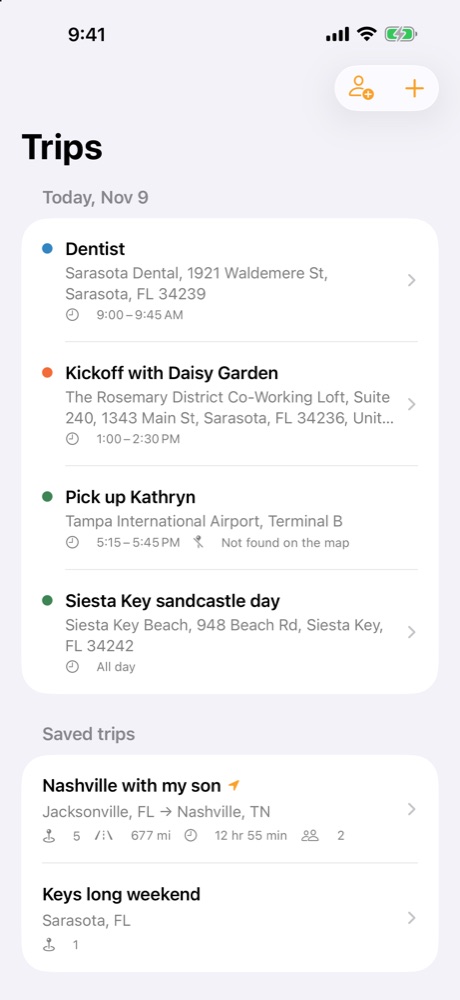
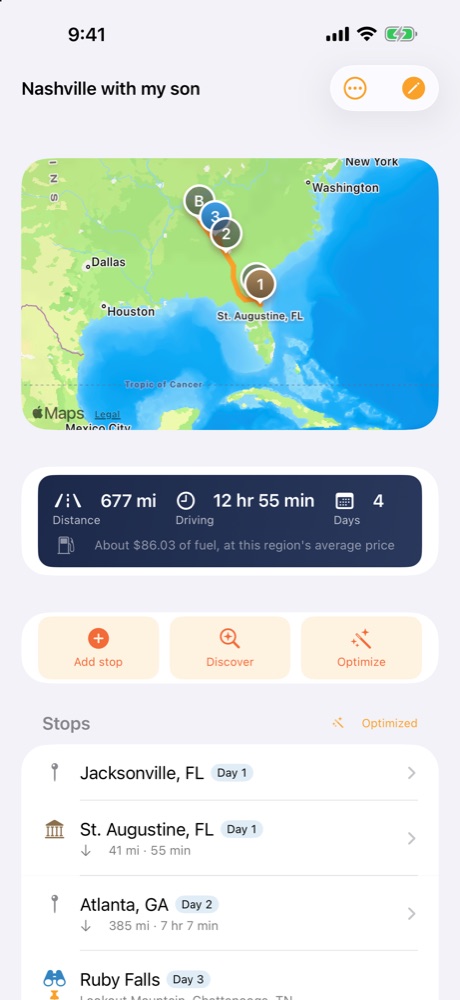
Add stops, let Roadkin find the best order, and see what the trip really costs in miles, hours and fuel.
📍 Stops in the best order
Add as many stops as you like and tap Optimize. Stops you have locked, like a hotel booked for Tuesday, stay exactly where you put them.
⏱️ Real miles and drive time
Every leg shows its true distance and drive time, with a fuel estimate from your vehicle's MPG. Leave MPG blank and the app simply doesn't guess.
✨ AI planner Premium
Describe the trip and get suggested stops worth seeing along the way, day by day, with the routed drive times beside the planner's estimates.
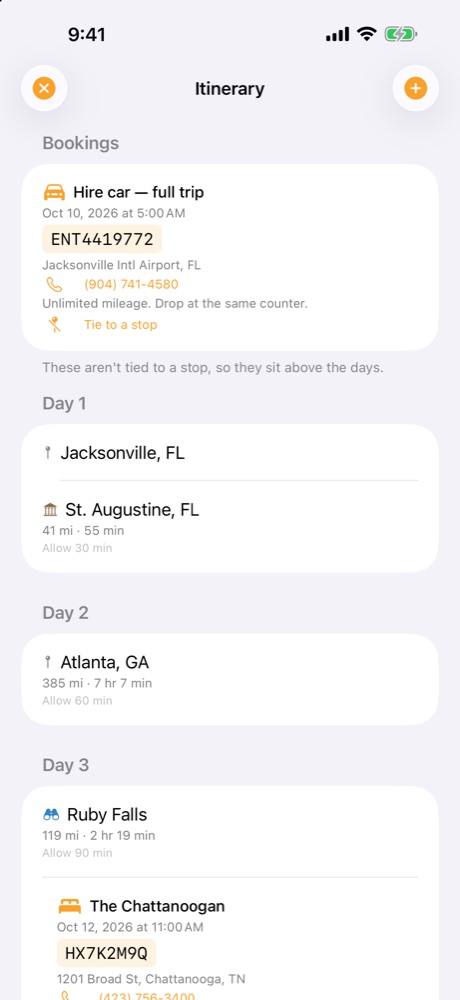
🧾 Bookings with the stop
Hotels, rental cars and reservations, with confirmation numbers and phone numbers, sit in the itinerary on the day and stop they belong to.
👨👩👧 Invite the car
Invite friends and family with a six-character code. Editors can change the plan, viewers can look, and everyone sees the same changes.
📴 Works with no signal
Save a trip for offline use and it keeps its stops, bookings and confirmation numbers when the signal drops.
Ahead
Know what's coming before you reach it
The Ahead list answers the questions a driver actually has, ordered by how far along your route each place is.
🚻 Rest stops
The next rest areas ahead of you on the route, nearest first, with how far away each is and how far off the road.
🍔 Food you'd actually stop for
Pick the chains you pull off for and the Food list shows just those, nearest first. Add one to the trip with a tap.
⛽ Gas ahead
Stations still in front of you, not the ones you've passed. Report a price and your party sees it too.
🛣️ Highway exits
On the interstate, see the next exits and what is at each one. They appear only while you are guiding a trip on a highway.
🌦️ Weather and radar
National Weather Service warnings and radar drawn on the trip map, refreshed every few minutes while you drive.
⭐ Discover Premium
Interesting places close to the route, with a short description, ready to add as a stop.
CarPlay
Built for the dashboard
Roadkin's CarPlay screens are designed to be glanced at, with big targets and short lists.
Screens
A look inside
Private by design
No ads. No tracking. Sign in with Apple.
- Sign in with Apple only; there is no password for us to hold.
- No advertising and no analytics SDK. Roadkin does not track you across apps or websites.
- Location is used while the app is open to show what is ahead; we keep no history of where you have been.
- Delete your account any time from Settings ▸ Account ▸ Delete my account.
Read the full Privacy Policy.
Support
Help and who makes Roadkin
BassTech Consulting Group
Developer and publisher of Roadkin
PO Box 5252, Sarasota, FL 34277
Support: support@support.basstechdev.com
Privacy: privacy@support.basstechdev.com
Web: basstechconsulting.com
Common questions
- What is Roadkin Premium? The AI trip planner and Discover are part of Roadkin Premium: $4.99 per month or $39.99 per year, billed through your Apple Account. Everything else is free. Manage or cancel in Settings ▸ Apple Account ▸ Subscriptions, and use Settings ▸ Restore purchases on a new device.
- How do I sign in? Roadkin uses Sign in with Apple. There is no password to remember.
- Why is the Ahead list empty? Exits, Rest stops, Food and Gas appear while a trip is being guided, and Exits only while you are on a highway. Make sure location is allowed for Roadkin in iOS Settings ▸ Privacy & Security ▸ Location Services.
- How do I use Roadkin in CarPlay? Connect to CarPlay and open Roadkin from the CarPlay home screen. If the app name or icon looks out of date, restart your phone and reconnect.
- Can I use it without a signal? Open a trip and choose Save for offline. Saved trips keep their stops, bookings and confirmation numbers with no signal.
- How do I invite someone to a trip? Open the trip, choose Who's coming, then Invite someone (editor) or Invite as view-only. Share the six-character code.
- How do I delete my account? Settings ▸ Account ▸ Delete my account. Your trips, stops and bookings are deleted. A trip other people are still on is handed to one of them.
- Something is wrong. Email support@support.basstechdev.com with your iPhone model, iOS version and, for CarPlay, your car's make and model. We answer quickly.
Data sources
Map data from OpenStreetMap contributors, ODbL. Routing by OSRM. Forecasts, warnings and radar from the US National Weather Service and NOAA NEXRAD via the Iowa Environmental Mesonet. Place descriptions from Wikipedia. Maps and search from Apple MapKit.
Terms of Use: Apple's standard EULA.
Available Now
Download Roadkin
Available on the App Store for iPhone, with CarPlay support, in the United States. Scan the QR code or tap the badge to download. Free to download; the AI trip planner and Discover are part of Premium ($4.99/month or $39.99/year).